Webyog develops MySQL database client tools. Monyog MySQL monitor and SQLyog MySQL GUI.
Download the SQLyog V9.6.3.0.Community Tool - Free Version.
Technical Support
Find solutions to common software issues, error messages and troubleshooting guides for K Secure systems.
This section contains known solutions, troubleshooting guides and technical procedures for Time Attendance, Access Control and CCTV systems.
ℹ ABOUT THIS SECTION
Find solutions to common software issues, error messages and troubleshooting procedures for K Secure systems.
This section contains known fixes and troubleshooting guides for Time Attendance, Access Control and CCTV systems.
Looking for software downloads, firmware updates or manuals?
Visit our Resource Center or Download Center.
🔍
Common software errors, warning messages and system alerts encountered by users.
Browse this section for known causes and recommended solutions before contacting support.
This download will install a set of components that can be used to facilitate transfer of data between 2010 Microsoft Office System files and non-Microsoft Office applications.
Download the Microsoft Access Database Engine Tool.OR Click link direct download from Microsoft officer website.
.NET Framework 4.6.2 is a highly compatible, in-place update to the Microsoft .NET Framework.
Click link search download from Microsoft .NET Framework officer website.
Download the Sample File in Ms Excel format.
Download the Check Sum Red Audit List.
Step to do : Put this EXE file to Ingress Server Folder > Run This EXE > Key In User ID or Tik "Select All Related" > Put the start Date *Format "YYYY-MM-DD" > Click Start
After Done process then back to Ingress > To Attendance > Click Generate > Select that user or All Users > Select Date > OK to generate.
Step-by-step technical procedures and support articles for resolving system issues.
Includes installation guides, configuration tutorials and recommended troubleshooting workflows.
Database-related troubleshooting and maintenance procedures.
Includes database connection errors, backup and restore guides, migration tools and data repair solutions.
Troubleshooting guides for Time Attendance software, attendance devices and clocking-related issues.
Includes problems related to attendance records, report generation, synchronization and device communication.
Solutions for Access Control systems including door access devices, controllers, card readers and user permissions.
Find troubleshooting information for door access failures, card verification issues and communication problems.
Troubleshooting guides for CCTV systems, NVRs, DVRs, IP cameras and video management software.
Includes common issues such as camera offline, recording failures, playback problems and network connectivity.
Troubleshooting guides for PBX systems, SIP trunks, IP phones and VoIP communication issues. Includes installation, call quality, software configuration and connectivity problems.
Symptoms
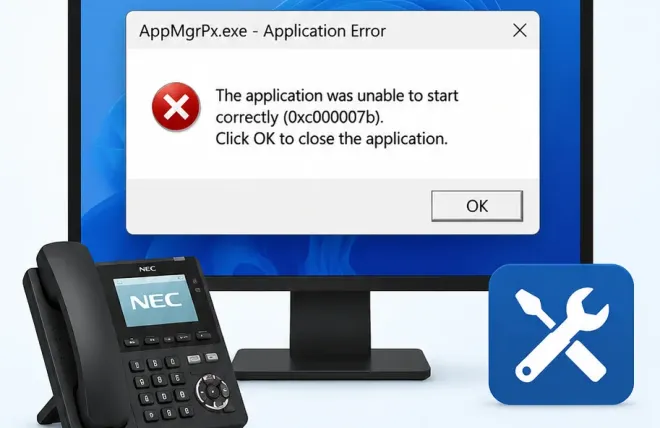
PCPro fails to launch and displays:
AppMgrPx.exe – The application was unable to start correctly (0xc000007b).
Quick Solution
1. Download and install the latest Microsoft Visual C++ Redistributable (x86).
2. Restart Windows.
3. Launch PCPro again.
Detailed Guide
👉 Read the complete troubleshooting guide.
Symptoms
Incoming and outgoing SIP calls have one-way audio after changing the SIP server IP address.
• Internal calls work normally.
• The remote party cannot hear your voice.
• Hold Music is working normally.
Basic Troubleshooting
1. Check Program 84-26 (VOIPDB Basic Setup - DSP).
2. Update the IP Address to match the current network.
3. Reboot the PBX and restart the SIP phones.
4.Test the calls again.
Detailed Guide
👉 Read the complete troubleshooting guide.
Knowledge Base Updated
13 Jul 2026, 05:30 PM
13 Jul 2026, 05:30 PM